On an editorial site, it is often useful to give articles, documents and other content types their own administration listings. Editors can then work with one type of content at a time, with an "Add Article" or "Add Document" button alongside the relevant list.
Maintaining a separate button definition for every listing means keeping the same relationship in two places. Whenever we add a listing or change which content type it shows, we need to remember to update its creation action too. This article shows how to avoid that duplication with a local action deriver.
When those listings are built with Views, their content-type filters already tell us which creation form belongs on each page. We can use that information to generate the buttons, keeping their definitions in step with the listings they belong to.
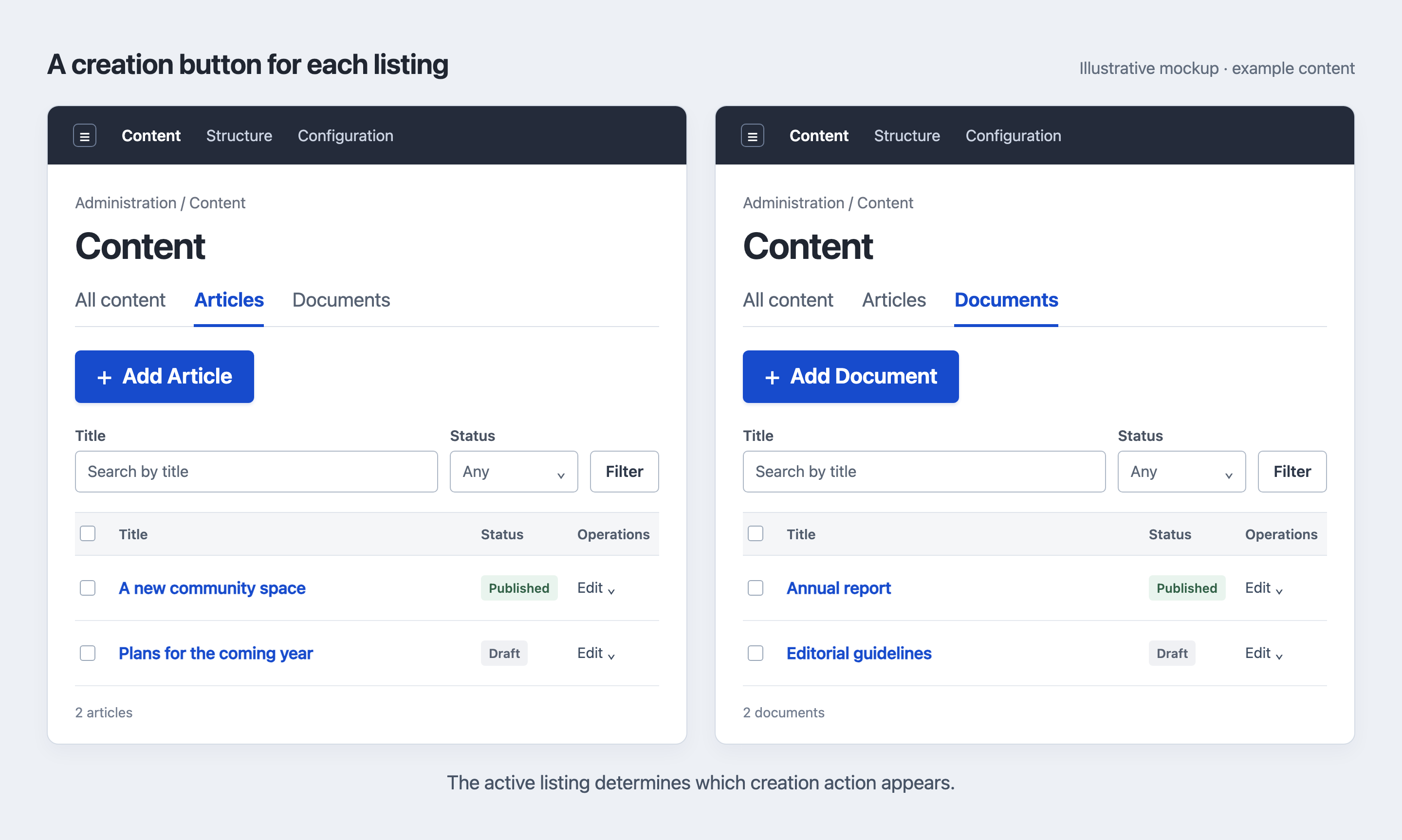
Illustrative mockups with example content. Each listing offers its own creation action.
A creation button for each listing
Drupal provides these buttons through local actions. To add one, we specify its label, where it links to and which page should display it. For an article listing, that could take a short YAML definition in listing_actions.links.action.yml, assuming the custom module's machine name is listing_actions:
listing_actions.add_article:
  title: 'Add Article'
  route_name: node.add
  route_parameters:
    node_type: article
  appears_on:
    - view.content.page_articles
Here, appears_on places the button on the article listing. The route name view.content.page_articles assumes that the View's ID is content and its page display's ID is page_articles, following the pattern view.{view_id}.{display_id}. Clicking it opens the node.add route, where the node_type parameter selects the article creation form.
We could add another entry for documents and continue in the same way for other listings. That is a good fit when each action needs its own wording or destination. If all the listings follow the same convention, though, we can get those values from existing configuration: the View identifies the display and content type, and the content type supplies its label.
A plugin deriver lets us build those entries from the existing configuration. It returns several plugin definitions that share one implementation—the same approach I described in my 2014 post about block derivatives. The early Drupal 8 code in that post is outdated, but the idea applies to local actions too.
Which displays qualify?
For this example, we will use a View named content, with a page display for each listing. To choose the right creation form, the deriver needs to know that a display lists exactly one content type. The configuration therefore needs to follow a few conventions:
- Each eligible display overrides its filters and has a content-type filter named
type_1. - That filter includes exactly one node type, is not exposed and restricts the whole listing. No OR group admits other content types.
The key type_1 identifies a particular filter in the View's configuration; the content type it selects has its own machine name, such as article. Your View may use a different filter key, for example type. To find it, export the View and look under display → your_display_id → display_options → filters in views.view.content.yml. Find the entry with entity_type: node and field: type, then use its key in place of type_1 in the PHP example. As written, the deriver expects that same key on every eligible display.
These constraints let the deriver read the filter straight from each display's stored configuration. It skips displays that inherit their filters; to support those as well, we would need to read their effective options through the Views display API.
The example also relies on a cache rebuild after configuration changes, so it fits a deployment workflow that imports configuration and then rebuilds caches. We will look at that requirement after the implementation.
Register the deriver
With those conventions in place, we can replace the individual action entries with one definition that points to the deriver. In an enabled custom module named listing_actions, put this in listing_actions.links.action.yml:
listing_actions.content_add:
  class: Drupal\Core\Menu\LocalActionDefault
  deriver: Drupal\listing_actions\Plugin\Derivative\ContentLocalActions
Local actions use YAML discovery, so this entry is how Drupal finds the deriver. The class property keeps core's LocalActionDefault as the implementation for every generated action. All we need to supply is the code that works out their labels and routes.
Read the displays and build the definitions
To load the View and its referenced content types, the deriver needs the entity type manager. The complete class uses ContainerDeriverInterface to receive that service from Drupal. Save it as src/Plugin/Derivative/ContentLocalActions.php inside the module so it matches the class named in the YAML entry.
Most of the work happens in getDerivativeDefinitions(). It loads the content View, skips displays that do not meet the conditions above and builds an action for each remaining display:
public function getDerivativeDefinitions($base_plugin_definition): array {
  $this->derivatives = [];
  $view = $this->entityTypeManager->getStorage('view')->load('content');
  if (!$view || !$view->status()) {
    return $this->derivatives;
  }

  foreach ($view->get('display') as $display_id => $display) {
    if ($display['display_plugin'] !== 'page') {
      continue;
    }

    $options = $display['display_options'];
    if (($options['enabled'] ?? TRUE) === FALSE) {
      continue;
    }

    // Only use filters explicitly overridden for this display.
    if ($options['defaults']['filters'] ?? TRUE) {
      continue;
    }
    $filter = $options['filters']['type_1'] ?? [];
    $types = $filter['value'] ?? [];
    if (($filter['entity_type'] ?? NULL) !== 'node' || ($filter['field'] ?? NULL) !== 'type') {
      continue;
    }
    if (($filter['operator'] ?? NULL) !== 'in' || !empty($filter['exposed']) || count($types) !== 1) {
      continue;
    }

    $node_type = $this->entityTypeManager->getStorage('node_type')->load(reset($types));
    if (!$node_type) {
      continue;
    }

    $this->derivatives[$display_id] = [
      'title' => $this->t('Add @label', [
        '@label' => $node_type->label(),
      ]),
      'route_name' => 'node.add',
      'route_parameters' => [
        'node_type' => $node_type->id(),
      ],
      'appears_on' => ['view.content.' . $display_id],
    ] + $base_plugin_definition;
  }

  return $this->derivatives;
}
The array near the end of the method contains the same values as our first YAML example. The content type supplies the label and creation-form parameter, while the display ID determines where the action appears. Adding $base_plugin_definition carries over shared properties, including the action class we registered earlier.
Using the display ID as the array key also gives each action a distinct derivative ID. Drupal combines it with the base plugin ID, so the action for page_articles becomes:
listing_actions.content_add:page_articlesThat ID identifies the action itself. Its appears_on route is still view.content.page_articles, and its destination is still node.add with the article type as a parameter—just as in the static definition.
Who can see the button?
Once Drupal has these definitions, it can decide which actions to show on a page. It does this by checking access to each destination route with its parameters. For the article action, that means checking whether the current user may open node.add for the article content type, separately from whether they may view the listing.
This is why the deriver contains no current-user permission checks. Drupal caches its definitions, so making discovery depend on the user who triggered it could leave other users with the wrong set of actions. Access belongs in the later step, when Drupal builds the buttons for the current page.
When the configuration changes
Caching also means that the deriver does not reread the View on every request. If a display's filter or ID changes, or a content type gets a new label, the stored action definitions need to be regenerated.
For this example, a full cache rebuild is the point at which those changes take effect. Rebuild after installing the files and after importing changed configuration, using Drupal's "Clear all caches" action at Configuration → Development → Performance or your environment's Drush cache-rebuild command. This refreshes both the definitions and the rendered output.
The same applies when editing the configuration through the UI. If those edits need to take effect automatically, the integration must respond to the relevant configuration changes, call clearCachedDefinitions() on plugin.manager.menu.local_action and invalidate the affected rendered output. Those handlers are not included in the accompanying class.
With this in place, adding another listing that follows the same filter convention also gives it the appropriate creation action after the next cache rebuild. There is no separate button definition to maintain.